
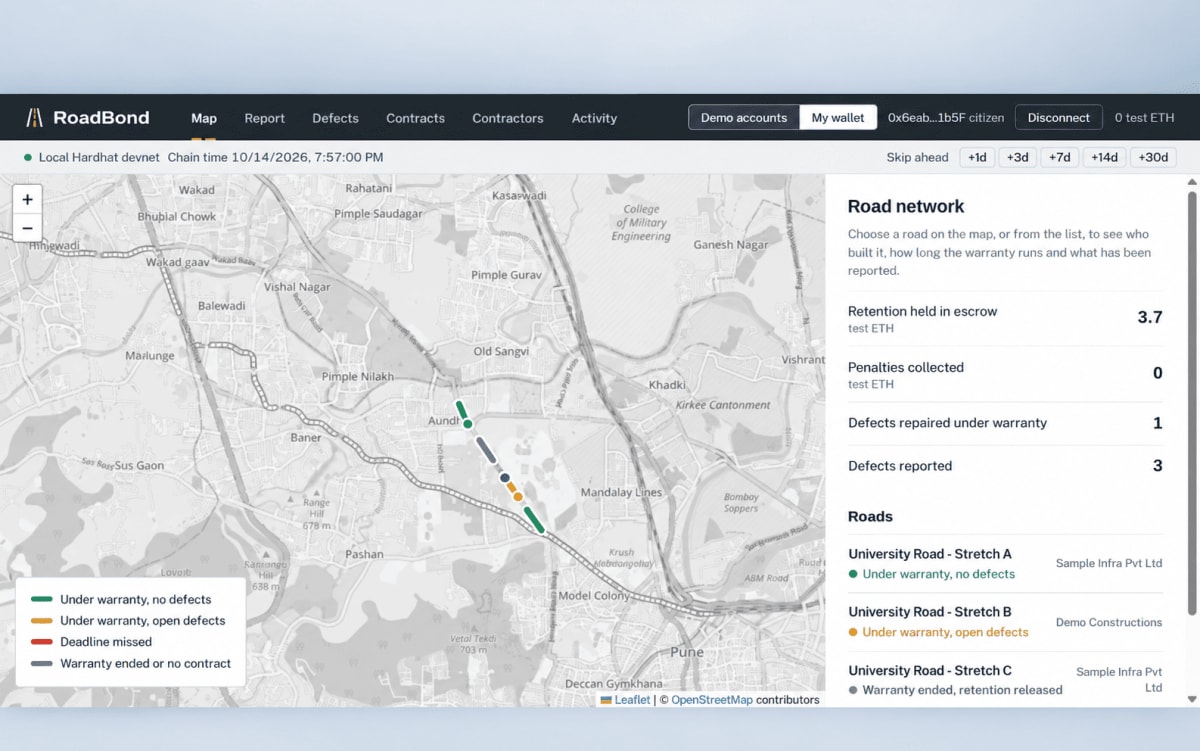
RoadBond: Holding Road Contractors Accountable, On the Blockchain
Citizens report potholes; blockchain escrow automatically penalises contractors who miss repair deadlines.
Project overview
What this project is about.
RoadBond is a student project that makes road contractors pay for bad roads. When a contractor builds or repairs a road, the government usually keeps back a small part of the payment, called retention money, for a set period called the warranty (or Defect Liability Period). If potholes appear during that time, the contractor is supposed to fix them. In practice this often does not happen, and the public pays for the repairs instead.
RoadBond fixes this in three ways. First, the contract details are recorded on a blockchain. A blockchain is a shared record that many computers keep copies of, so no single person can quietly change it. The details include the road section, the contractor, the warranty end date and the retention amount. Second, the retention money is locked in a smart contract, a program that holds the money and follows fixed rules. This is called escrow. An official cannot take the money out. Third, the rules are written in code. If a citizen reports a pothole and several independent people confirm it, a repair deadline starts. If the contractor misses the deadline, the penalty is taken from the escrow automatically.
Citizens report a defect with a photo and a GPS location. The system checks whether that spot is on a registered road that is still under warranty. A repair needs approval from independent verifiers. A contractor who disagrees with a report can raise a dispute, which pauses the clock until an arbitrator decides. When the warranty ends with nothing left open, the remaining money is released to the contractor. Each contractor's record of defects, repairs and penalties stays public, so anyone can check it.
RoadBond is a prototype. It runs on a test blockchain on one computer, uses fake money and sample roads in Pune, India, and shows how the system would work. It is not a live government system.
Key features
- Register road contracts with map segments, warranty dates and retention amounts
- Hold retention money in a smart-contract escrow (test tokens only)
- Citizen defect reports with a photo and GPS location
- Automatic matching of a GPS point to the nearest road segment within 25 metres
- Duplicate detection: reports within 10 metres on the same segment are merged
- Weighted multi-party confirmation, so one person cannot confirm a defect alone
- Repair deadlines by severity, with automatic penalties from escrow when missed
- Contractor repair claims approved or rejected by independent verifiers
- Disputes that pause the penalty clock until an arbitrator decides
- Automatic release of remaining retention when the warranty ends with nothing open
- Reopening of a defect that reappears on the same spot soon after repair
- Tamper checks: verify that a stored photo or road geometry still matches its blockchain hash
- Public contractor reputation record (defects, repair times, penalties, disputes)
- Interactive map showing road segments by warranty and defect status
- Demo accounts for trying every role, plus MetaMask wallet support
- Optional advisory AI pothole hint on photos (never counts as a vote)
Technology stack
SolidityHardhatOpenZeppelin ContractsEthers.jsNode.jsExpressSQLite (Node built-in node:sqlite)MulterSharpReactViteLeaflet with OpenStreetMap tilesPlaywright and axe-core (browser and accessibility tests)ONNX Runtime (optional AI hint)
Usage and use case
1. Install Node.js 22 or newer.
2. Open a terminal in the project folder and run: npm run setup (once only)
3. Terminal 1: start the local blockchain with: npm run node (keep it running)
4. Terminal 2: start the photo and map server with: npm run backend
5. Terminal 3: load the demo contracts and roads with: npm run seed
6. Terminal 4: start the website with: npm run frontend
7. Open http://127.0.0.1:5173 in your browser. The map needs an internet connection.
8. In the top bar, choose "Demo accounts" and pick a citizen.
9. Open the Report tab, click near a road on the map, use the demo photo and submit.
10. Open the Defects tab. Confirm the defect with two other citizens, or with one verifier.
11. Use the "+7d" demo clock button to pass the repair deadline. Then press "Apply penalty".
12. Switch to the contractor account. Claim the repair with a photo. Then approve it with two verifiers.
13. Open the Contracts tab to see the escrow balance. After the warranty ends, release the retention.
14. To start again, stop the blockchain (npm run node), restart it, and run npm run seed.
Requirements
Node.js 22 or newer (tested on Node 24)
npm (installed with Node.js)
A modern web browser such as Chrome
Internet connection (for map tiles from OpenStreetMap)
Optional: MetaMask browser extension, for wallet mode
Optional: a YOLOv8 pothole model in ONNX format for the AI hint (not included in the project)
Project add-ons
Additional add-ons for this project.
Ask about project-specific add-ons through the ProjectVybe enquiry channel.
Documentation support
Create clear, well-structured project documentation covering implementation, technologies, features, methodology, and project outcomes.
Presentation support
Prepare professional project presentations that clearly explain your project idea, workflow, technologies, implementation, results, and key highlights.
Publication support
Get guidance in preparing and structuring project work for technical papers, research publications, and academic submission requirements.
1:1 mentorship
Get personalized guidance from project planning and technology selection to implementation, debugging, documentation, and final presentation.
Frequently asked questions
Questions about this project.
How can I ask about this project?
Use the enquiry button to share the project context and the kind of support you are looking for. ProjectVybe will review the enquiry and respond directly.
Is a demo available?
A YouTube demo has not been added for this project yet.
Can I request changes or additional support?
Yes. Describe your requested changes or learning goals in an enquiry so the ProjectVybe team can review them.
Are project add-ons available?
The available project add-ons are listed above and can be selected when you send an enquiry. Add-ons are enquiry-based; no online checkout or public pricing is provided.
How do I get started?
Review the project information, then use the enquiry button to send the details you would like to discuss.
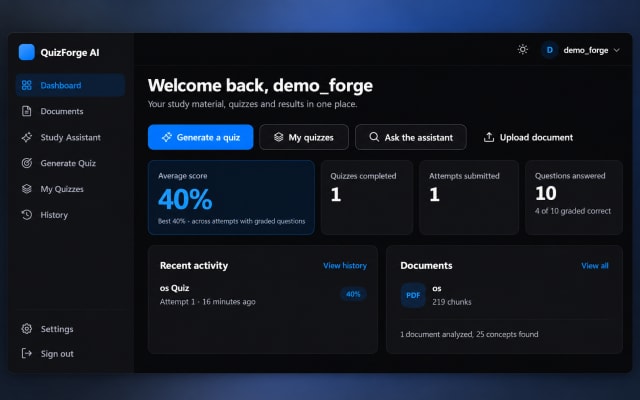
QuizForge AI – Intelligent Quiz Generation & Assessment Platform
AI-powered quiz platform that transforms study materials into interactive quizzes with automated assessment and analytics.
View project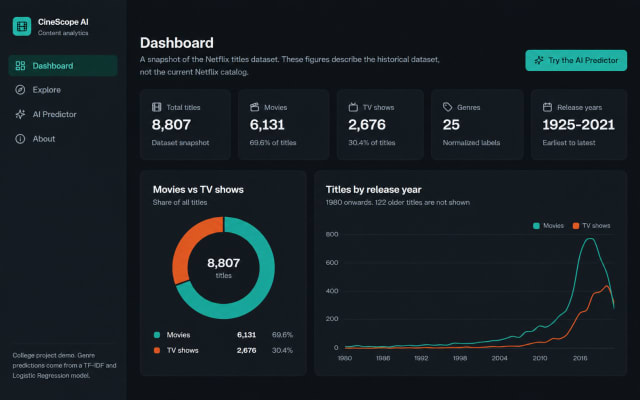
CineScope AI – Intelligent Streaming Content Analytics & Genre Prediction System
AI-powered streaming content analytics system for exploring titles and predicting genres from descriptions using machine learning.
View project
MediConnect – Smart Hospital Management System
A smart hospital management system connecting patients, doctors, laboratories, pharmacies, payments, communication, notifications, and analytics.
View projectBuild. Learn. Grow.
Ready to discuss this project?
Send ProjectVybe the project context you are exploring, or continue browsing the published catalogue.