

FraudShield AI — Intelligent Credit Card Fraud Detection & Transaction Monitoring
AI-powered web application that detects credit card fraud using a trained XGBoost machine learning model.
Project overview
What this project is about.
FraudShield AI is a web application that helps identify potentially fraudulent credit card transactions using machine learning.
The application uses a trained Weighted XGBoost model to analyze transaction data and generate a fraud probability along with a Fraud or Legitimate result. Each analyzed transaction can be saved and viewed later for monitoring and analysis.
The backend is built with Django and Django REST Framework, with SQLite used for storing transaction records. The frontend is built using HTML, CSS, and JavaScript with a responsive and user-friendly interface.
The project includes a transaction analysis page, monitoring dashboard, transaction history, REST API, sample transaction loader, and detailed developer documentation.
The machine learning model was trained using the ULB Credit Card Fraud Detection dataset, which contains 284,807 transactions, including 492 fraudulent transactions.
The final model achieved:
- ROC-AUC: 0.980
- PR-AUC: 0.883
- Precision: ~0.90
- Recall: ~0.847
- F1-score: ~0.874
The model uses a fixed decision threshold of 0.65 to classify transactions as Fraud or Legitimate.
Key features
- AI-based credit card fraud prediction using a Weighted XGBoost model
- Fraud probability and risk-level scoring
- Persistent transaction history
- Searchable transaction records
- Sortable and filterable transactions
- Live analytics dashboard
- Fraud-rate monitoring
- Fraud probability distribution charts
- High-risk transaction highlighting
- REST API for fraud prediction
- REST API for transaction history
- REST API for dashboard analytics
- Sample transaction loader using real dataset rows
- Developer documentation with API reference
- System architecture documentation
- Responsive custom-built interface
- Light and dark mode support
Technology stack
PythonDjangoDjango REST FrameworkSQLiteXGBoostscikit-learnPandasNumPyJoblibHTML5CSS3Vanilla JavaScript
Usage and use case
1. Open the Analyze page.
2. Choose whether to load a sample transaction from the dataset or enter the transaction features manually.
3. If entering a transaction manually, provide the required 30 model features:
Time, V1-V28, and Amount.
4. Click the Analyze Transaction button.
5. FraudShield AI sends the transaction to the backend and passes it through the trained XGBoost model.
6. The system returns a fraud probability and classifies the transaction as Fraud or Legitimate.
7. The analyzed transaction is automatically saved for future reference.
8. Open the Transactions page to search, sort, filter, and view previously analyzed transactions.
9. Open the Dashboard to view transaction statistics, fraud rate, recent activity, and probability charts.
10. Open the Documentation page to learn about the system architecture, machine learning model, and available REST API endpoints.
Requirements
Python 3.10+
Django
Django REST Framework
XGBoost
scikit-learn
Pandas
NumPy
Joblib
SQLite
HTML5
CSS3
JavaScript
Modern Web Browser
Project add-ons
Additional add-ons for this project.
Ask about project-specific add-ons through the ProjectVybe enquiry channel.
Documentation support
Create clear, well-structured project documentation covering implementation, technologies, features, methodology, and project outcomes.
Presentation support
Prepare professional project presentations that clearly explain your project idea, workflow, technologies, implementation, results, and key highlights.
Publication support
Get guidance in preparing and structuring project work for technical papers, research publications, and academic submission requirements.
1:1 mentorship
Get personalized guidance from project planning and technology selection to implementation, debugging, documentation, and final presentation.
Frequently asked questions
Questions about this project.
How can I ask about this project?
Use the enquiry button to share the project context and the kind of support you are looking for. ProjectVybe will review the enquiry and respond directly.
Is a demo available?
A YouTube demo has not been added for this project yet.
Can I request changes or additional support?
Yes. Describe your requested changes or learning goals in an enquiry so the ProjectVybe team can review them.
Are project add-ons available?
The available project add-ons are listed above and can be selected when you send an enquiry. Add-ons are enquiry-based; no online checkout or public pricing is provided.
How do I get started?
Review the project information, then use the enquiry button to send the details you would like to discuss.

TrafficMind AI — Smart Traffic Analytics & Optimization
Upload traffic media, detect vehicles, estimate lane congestion, and simulate adaptive signal timings with YOLOv8.
View project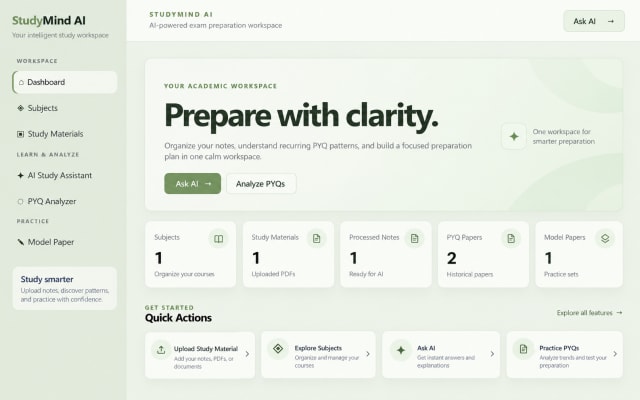
StudyMind AI — An intelligent platform for personalized exam preparation.
AI-powered exam preparation platform that organizes notes, analyzes PYQs, and generates personalized practice papers intelligently.
View project
RepoMap - Python Repository Intelligence & Codebase Analysis Platform
Map Python repositories into evidence-based onboarding guides, dependency graphs, histories, and PDF reports.
View projectBuild. Learn. Grow.
Ready to discuss this project?
Send ProjectVybe the project context you are exploring, or continue browsing the published catalogue.